

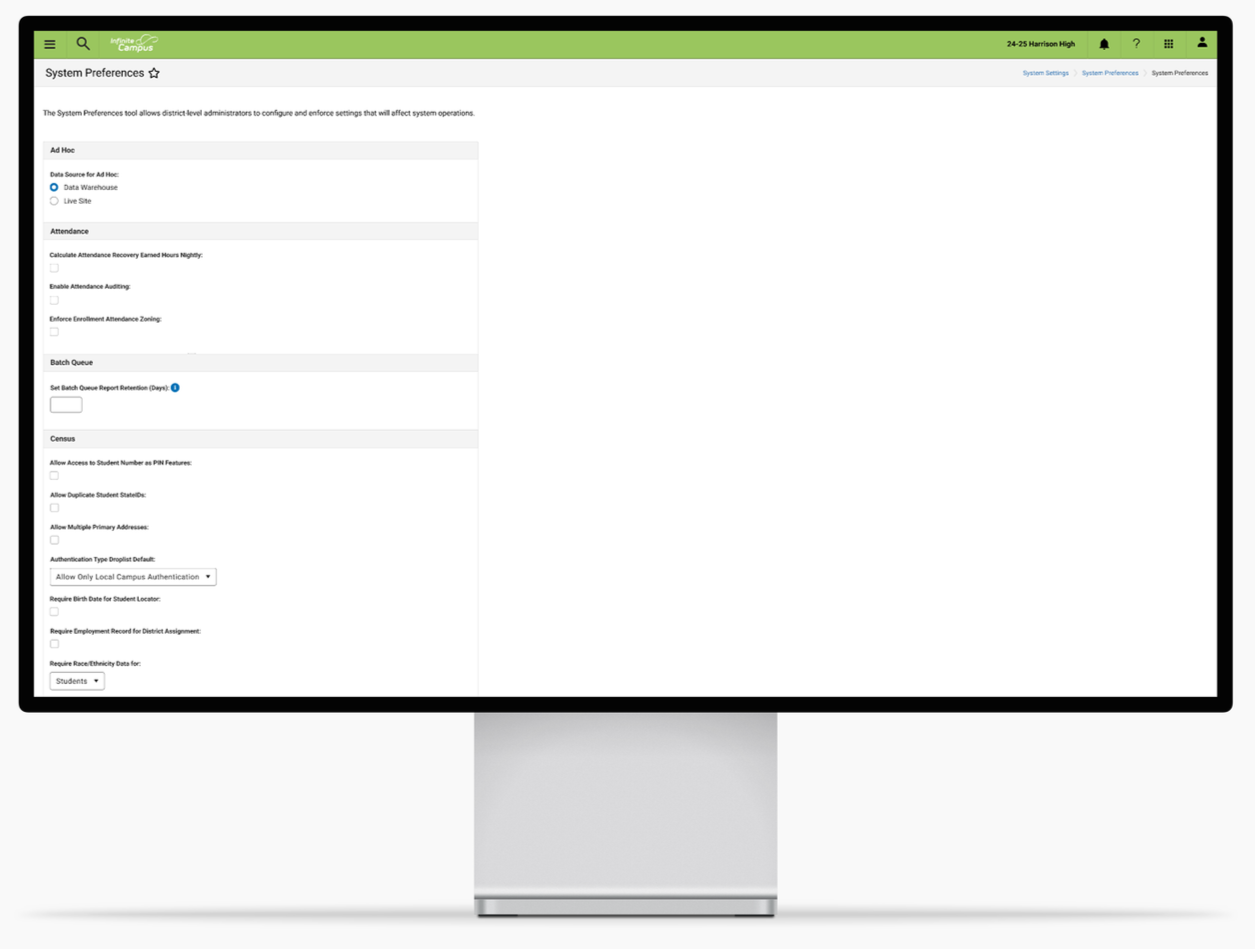
Redesigning the System Preferences Tool to Create an Updated and More Efficient Experience
INFINITE CAMPUS
PRODUCT DESIGN / RESEARCH / ENTERPRISE SOFTWARE
ROLE
UX Designer
TIMELINE
4 weeks
PROBLEM
Admins struggle to find the specific preferences they need to update
System Preferences is a powerful tool that allows for the configuration of settings for the general use of Infinite Campus. The System Preferences tool had been neglected and outdated. The development team reached out because they were tasked to update the tech stack of the tool. With that, they also reached out to the UX team for guidance on how to improve the experience and workflow of the tool.
“How can the workflow of the tool be reimagined to provide admins with a seamless experience?”
SOLUTION
Removed Confusing Headers and Added Context Where Needed
Removed the ‘District Preferences’ Header to standardize one name for the preferences and reduce confusion. Additional context about the tool was added for users to quickly identify the purpose of the tool.
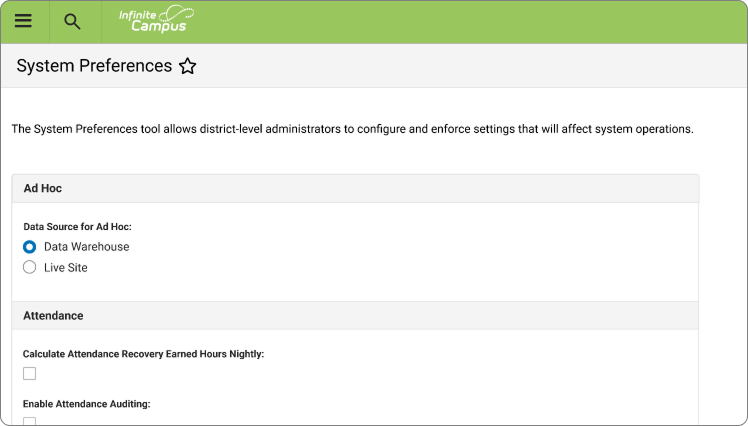
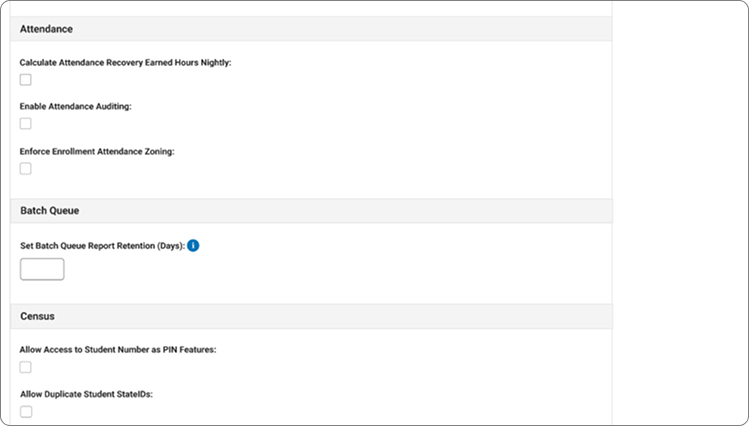
Created Groupings of Related Preferences
Preferences were grouped based on feedback from interviews with subject matter experts across different areas of the company.
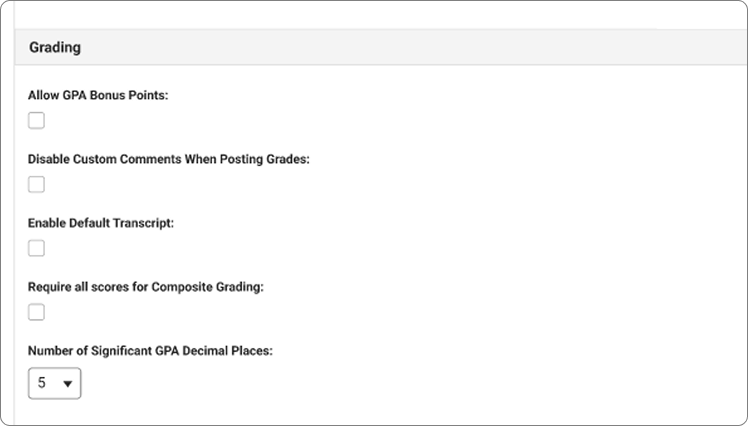
Using real user data along with insights collected from subject matter experts, preferences were ordered alphabetically to improve the scanability of the page
Strategically Ordered Preferences Alphabetically to Support Quick Scanning
PROCESS
Internal Subject Matter Expert Interviews
Due to the short deadline, Subject Matter Experts from the Training and Support departments were engaged to gather insights about how users were using the tool and if there are specific use cases we should keep in mind.
Most users only come to this tool to change one or two preferences at a time
Preferences are not easily discoverable due to poor organization
Need for clearer context of the tool and preferences
KEY INSIGHTS
HOW CAN I…
Redesign the System Preferences experience to help administrators quickly find, understand, and confidently manage their preferences?
THE REDESIGN
With the understanding that users were coming to this tool primarily to change one or two preferences at a time, I wanted to prioritize the scanability of the page, making it easy to find specific preferences within the long list. Also, the overall organization of the page was improved by collaborating with the Product Owner for this tool by grouping similar preferences together. These groupings were then laid out alphabetically in a single column design to support quick and easy scanning, which supports the most common workflow of users coming to this tool to update one to two preferences at a time.
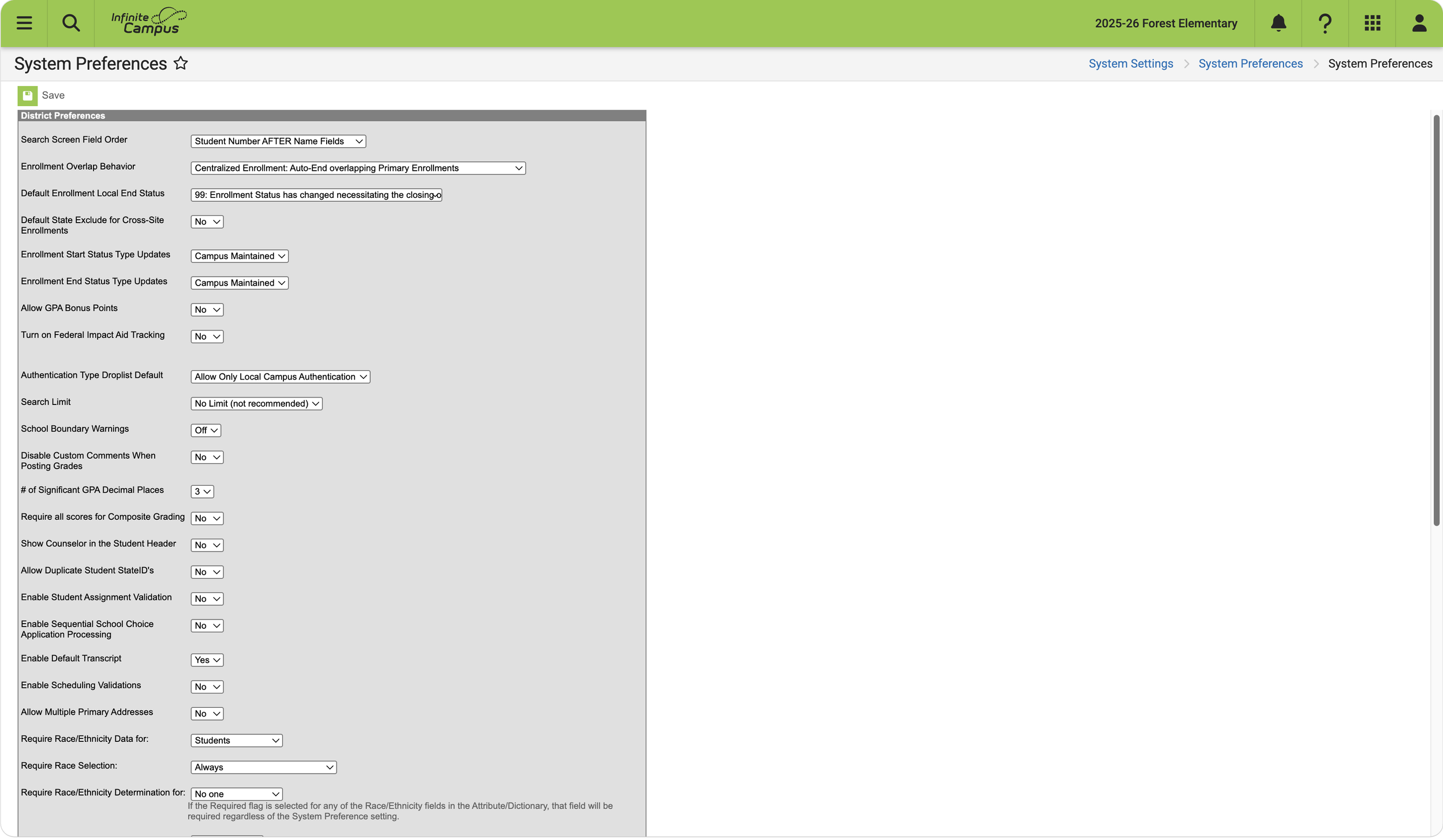
Outdated tech stack
No organization
Hard to scan
Confusing “District Preferences” Header
Before:
Updated design using updated Elements tech stack
Clear Groupings of preferences
Alphabetically listed
Added context for tool
Easy to scan
After:
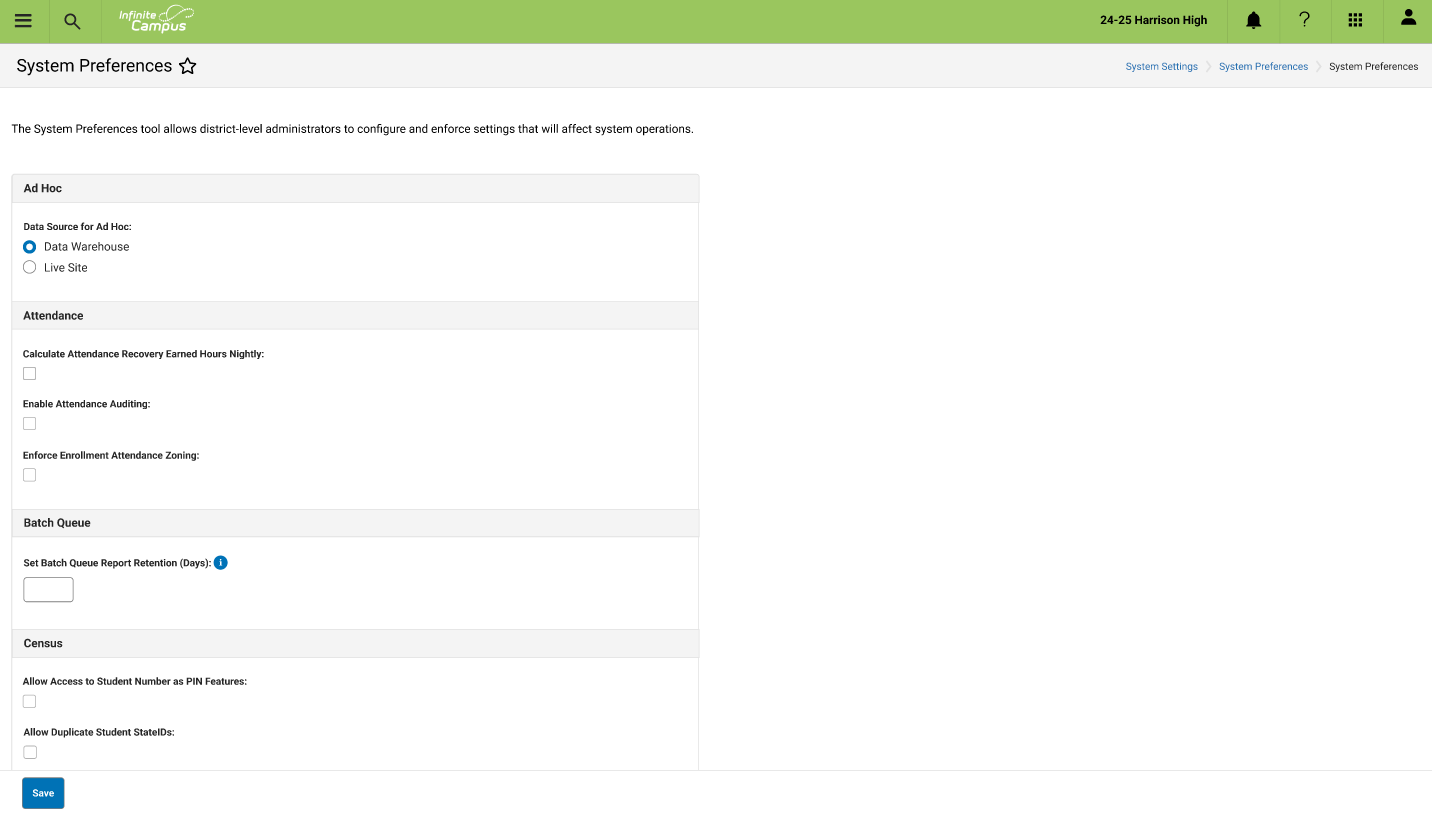
Final Prototype:
Takeaways
This project was the first major project I led after joining Infinite Campus, and it gave me valuable experience balancing business constraints with user needs. Working in enterprise software helped me better understand the unique context of our users. Unlike consumers who choose the products they use, our users are professionals who rely on Infinite Campus to accomplish critical tasks throughout their workday. Because of this, reliability and efficiency are often more important than novelty or extra visual noise. Through this project, I learned that successful enterprise design isn't about creating the flashiest experience, but about reducing friction, minimizing cognitive effort, and helping users accomplish their goals as quickly and confidently as possible.
Looking back, if there had been more time dedicated to research, I would have liked to conduct interviews with actual users rather than relying primarily on subject matter experts. While SMEs provided valuable context and domain knowledge, direct conversations with users could have uncovered additional insights into their workflows, pain points, and day-to-day experiences, leading to even more user-centered design decisions.